
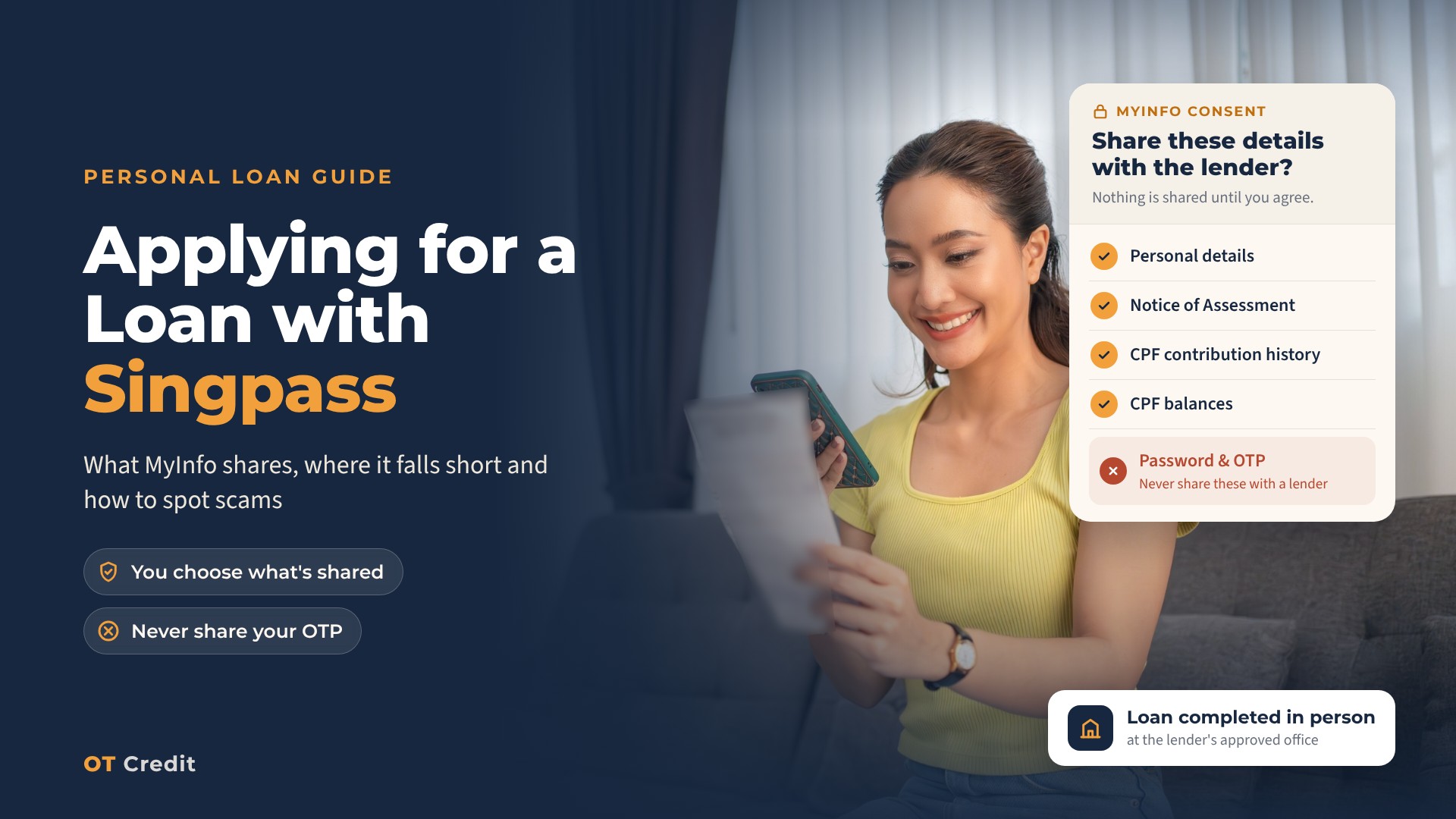
It’s late, you’re on the sofa with your phone, and the lender’s form has a bright button that says Apply with Singpass. One tap and half the boxes fill themselves in. Handy. It’s also your name, your address, and your income records heading to a company you found ten minutes ago, so it’s fair to stop and ask what you’re actually agreeing to.
The short version: Singpass only proves it’s you. MyInfo, the service behind the button, then passes on the specific records the lender has asked for, and only after you’ve seen the list and said yes. None of that is a loan agreement. The lender still has to assess your application, and a licensed moneylender must meet you in person at its approved place of business before it can lend you anything. At no point does it need your Singpass password or a one-time password (OTP).
What happens after you tap the button
- You log in. The login page should sit on the singpass.gov.sg domain, or you’ll be asked to approve the login in the Singpass app. This step confirms who you are and nothing more.
- You see the consent screen. It lists the exact records the lender wants. If you don’t agree, nothing is shared.
- The form fills in. Whatever MyInfo holds drops into the application. You add anything it doesn’t have, then submit.
- The lender reviews it. Once it has your application, it also has to send details to the Moneylenders Credit Bureau. Most people don’t realise that, and it matters more than you’d think. More on it below.
- You go to the office. The lender has to verify your identity face to face before granting a loan, explain the contract terms in a language you understand, and give you a copy of the Note of Contract. This is the point where you’d be committing to borrow. Not before.
So a loan can’t be completed entirely online, and it can’t be done at your home or a coffee shop either. The Registry of Moneylenders disallows loan transactions anywhere other than the lender’s approved place of business.
What MyInfo actually passes on
Only the fields the lender requests, and you’ll see them on the consent screen before anything moves. These are the ones that matter most for a loan application.
What a lender can see through MyInfo, and where it falls short (as of November 2026)
| Record | What it shows | Who has it | Where it can fall short |
|---|---|---|---|
| Personal particulars | Name, date of birth, nationality, registered address, contact and pass details | Depends on the field | Not every field exists for every user |
| Notice of Assessment (NOA) | Assessable income from your latest finalised tax assessment | Citizens and PRs; may be available for FIN holders | Missing if the assessment isn’t finalised, including a Default Assessment; for foreigners it can depend on tax residency |
| CPF contribution history | Up to 15 months of employment-related contributions | Citizens and PRs | Leaves out self-employed contributions and government top-ups |
| CPF balances | Balances in your CPF accounts | Citizens and PRs | Not available for FIN holders |
| Private property ownership | Whether you own private residential property | Citizens and PRs | Other property fields follow their own rules |
Your password and OTP aren’t on that list. Consenting shares records, not your login.
Four applicants, four different screens
MyInfo is only as current as the records behind it, so the same button gives very different results. These four people are made up, but their records behave the way real ones do.
Siti has been in the same office job for eight years. Her NOA, CPF history and particulars all come through, so most of the form fills in before she’s typed a word. The lender may still have questions, but the paperwork side is light.
Ravi drives private-hire full time. His NOA can show his trade income once his assessment is finalised. His CPF contribution history won’t help much, though, because self-employed contributions aren’t part of it. He should expect to show income another way, and our guide for drivers, riders and freelancers covers what that can look like.
Wei Ming changed jobs in June. His NOA is from last year, before the new role, and his CPF history mixes two employers. MyInfo isn’t wrong here, just behind. He’s better off asking the lender up front what else it accepts as proof of his current pay.
Priya is on an Employment Pass. The CPF fields don’t apply to her, and her NOA may or may not come through depending on her tax residency. Whether the Singpass route works for her at all depends on the lender’s process, so it’s worth asking first. Our article for work pass holders covers the rest.
If a record is actually wrong, rather than out of date, the fix sits with the government agency that holds it, not with Singpass or the lender. You can see what MyInfo has on you, and where it’s been used, in the Singpass app.
What stays on record, even if you walk away
Tapping through a Singpass application feels lighter than queuing at a counter. In law, it’s the same thing: a loan application. That has two consequences people rarely think about.
At the credit bureau. Under the Moneylenders Act, a licensed moneylender has to pass your details to the Moneylenders Credit Bureau (MLCB) once it receives your application, not only if a loan is granted. You can check this yourself. Ask the MLCB for your loan information report,t and it must supply it within one business day; the report includes any pending applications you’ve made with a licensed moneylender. You can collect a printed copy or have it emailed, and the bureau may charge a fee each time.
That’s worth knowing before you tap through three lenders in one evening just to compare offers, because each application goes to the bureau. It also works the other way: an application you don’t recognise is an early sign that someone may be using your identity. Our guide to reading your own MLCB file explains what the report shows.
With the lender. Whatever MyInfo fills in becomes part of your application form, and the Moneylenders Act requires lenders to keep application forms and supporting documents. If the application doesn’t go ahead, that’s five years from when they received it. If it does, it’s five years from when the loan is repaid, or the contract ends. Changing your mind doesn’t wipe the slate, so ask how your data is used and protected before you consent.
Keeping your Singpass yours
The consent screen controls what data goes out. Your login is a different matter, and that’s what scammers go after.
A genuine Singpass login page is on singpass.gov.sg. Scan Singpass QR codes only from inside the Singpass app, approve only logins you started yourself, and don’t take a Singpass logo on a website as proof of anything.
Nobody lending to you legally needs your password or OTP. The Singapore Police Force has said plainly that licensed moneylenders won’t ask for Singpass login details or CPF contribution details to approve a loan, and the Registry of Moneylenders lists a request for your Singpass user ID or password as a warning sign.
Check the business before you check the button. Look it up on the Ministry of Law’s list of licensed moneylenders, which gives each lender’s name, licence number, address, phone number and website. The Registry suggests checking both the physical address and the web address against that list, because fake sites can mimic real lenders, down to web addresses that look almost the same.
If you’re helping a parent apply, they log in with their own Singpass. Nobody shares login details, even inside a family. Singpass has its own arrangements for trusted-person help with two-factor authentication, set out on its help pages. For other warning signs, like loan offers on WhatsApp or fees demanded upfront, see our guide to what licensed moneylenders can and can’t do.
Easy to apply isn’t the same as easy to repay. Singpass takes the typing out of an application; it does nothing to the instalments. Settle on the amount you actually need, and check that the monthly repayment fits after rent, bills and any other debts, before you open the form rather than after it’s filled itself in.
If you’ve already handed something over
Move fast. These steps don’t depend on each other, so start wherever you can. Numbers are as of November 2026.
- Lock down your account. Reset your Singpass password and call the Singpass Helpdesk on 6335 3533 (press 9 to secure your account). Then look through your past usage in the Singpass app for logins you don’t recognise.
- Make a police report. For suspected unlicensed moneylending, the Police hotline is 1800-255-0000. If you’re not sure whether something is a scam, the 24-hour ScamShield Helpline is 1799.
- Bring in the Registry if a licensed moneylender is involved. Its hotline is 1800-2255-529.
- Pull your MLCB report. Any application made in your name shows up there, including pending ones.
If you’d rather stop licensed moneylenders granting you new unsecured loans (debt consolidation loans aside), the MLCB runs a voluntary self-exclusion scheme. It isn’t a shield against identity theft, so treat it as an extra step, not a replacement for the ones above.
Applying with OT Credit
You can start with the Apply with Singpass button on our site or fill in the form yourself. Either way, you’ll come to our Jurong East office to verify your identity, and we’ll explain the contract terms in person. We’ll only lend after assessing your income, existing loans, and repayment ability, and the answer can be no.
OT CREDIT PTE. LTD.
Licensed by the Ministry of Law’s Registrar of Moneylenders (Licence No. 101/2026)
135, JURONG GATEWAY ROAD, #01-323, SINGAPORE 600135
62920119
Related reading
- What Can a Moneylender See in Your MLCB Record?
- What Licensed Moneylenders Can & Can’t Do in Singapore
- How private-hire drivers and delivery riders can prove their income for a loan
- Can Work Pass Holders Get a Loan in Singapore?
Sources
- Registry of Moneylenders, Ministry of Law: FAQs on Borrowing From Licensed Moneylenders
- Registry of Moneylenders: List of Licensed Moneylenders in Singapore
- Moneylenders Act 2008: section 38, section 66 and section 77
- Singpass Developer Docs: MyInfo Finance catalogue and MyInfo Personal catalogue
- Singpass (AskGov): Consent and private-sector services and Account security
- Singapore Police Force: Police advisory on loan scams on messaging platforms and Unlicensed moneylending